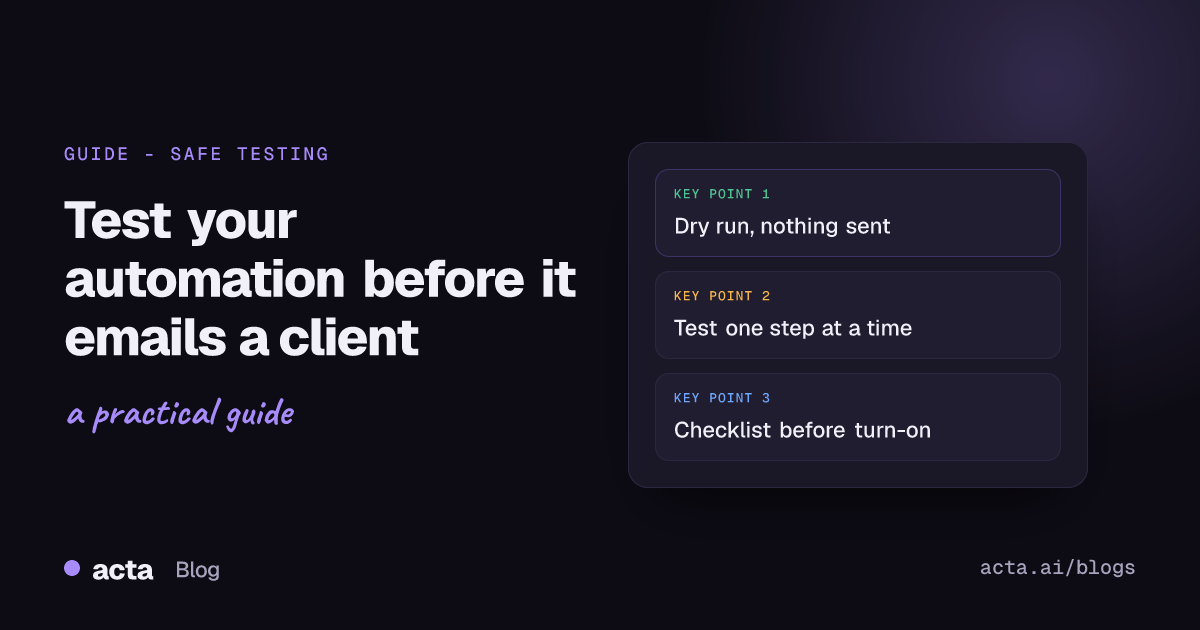
Quick answer: To test automation without sending anything to a real customer, use a test run that shows what each step would send instead of sending it, test risky steps one at a time, point any real sends at your own inbox or a private channel, and feed it sample events. Then check the setup, keep a version you can roll back to, and watch the first live runs.
Most automation accidents I've seen weren't bugs. They were tests. Someone clicked "test" on a step that sends an email, and the email went out. To a real client. With "Hi {{first_name}}" in the greeting.
This guide is about not doing that. It covers the habits that work in any tool (Zapier, Make, n8n) and how we set it up in Acta Agent Builder, where the meeting automations live.
Why does clicking "test" send real messages?
Because in a lot of tools, testing an action means doing the action. Zapier says this plainly in its help article on testing Zap steps: trigger tests load sample records, but action tests are live and can change things in your app. Test a "Send email" step and an email gets sent.
Make works the same way at the scenario level. Its Run once button executes the whole scenario, which is great for seeing real output and bad if step four posts to your customer channel.
None of this is a flaw. It's the honest way to prove a connection works. But it means "test" and "safe" aren't the same word, and you have to design the safety in yourself.
How do you test automation without sending real messages?
You want a mode where every step runs except the ones that leave the building. That's a dry run: the trigger fires, the data gets pulled, the AI writes its draft, and the final step shows you the message it would send.
In Acta Agent Builder that's the default way to test. A test run walks through the whole agent and shows what would be sent, to whom, without sending it. So for a "follow-up after client calls" agent you'd see the email subject, the body, and the recipient list, all sitting there for you to read.
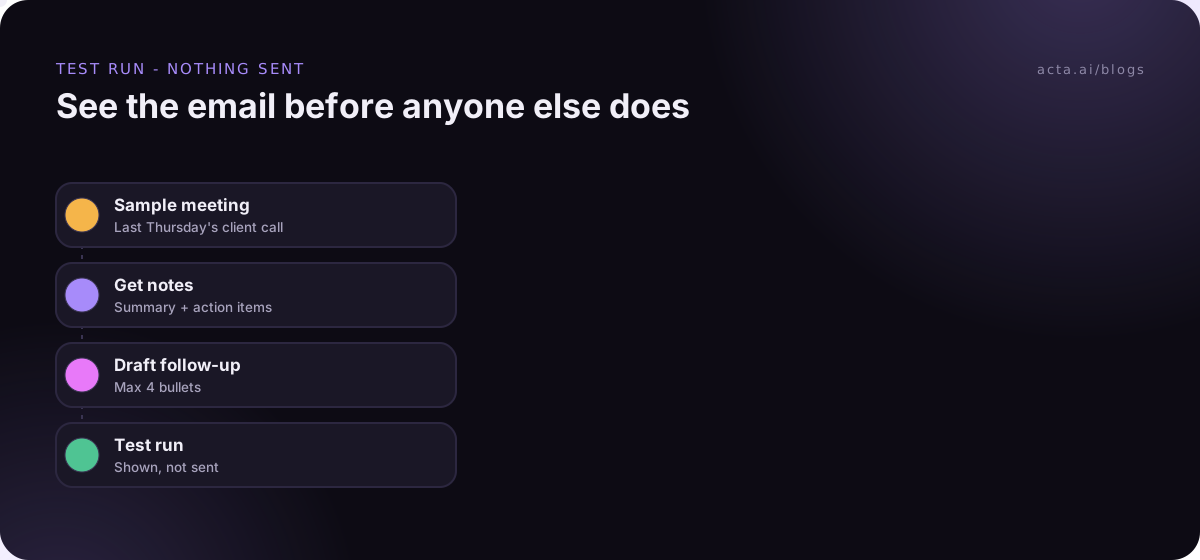
What I look for in a dry run, in this order:
- Who it goes to. Is the recipient list the external attendees, or did it grab your whole team too?
- Empty fields. Blank owner names, "Due: undefined", a subject line that's just a dash.
- Tone and length. AI steps tend to write long. If it's longer than you'd write by hand, tighten the instruction.
- Stuff that shouldn't be there. Internal pricing chatter, a side comment about a competitor, someone's salary from the 1:1 that got matched by mistake.
If you're in Zapier, Make or n8n without a true dry-run mode, the workaround is to temporarily swap the final send step for something harmless (a row in a test sheet, a message to yourself) and swap it back later. It works. It's also exactly the kind of thing people forget to swap back.
How do you test one step at a time?
Whole-agent test runs tell you if the thing works end to end. Single-step tests tell you why it doesn't.
Acta has "Test one step" for this. It's most useful on three kinds of step:
- Acta data steps. Did "action items, open, by owner" actually return Marco's three items, or nothing because the meeting had no summary yet?
- AI steps. Run the same step two or three times on the same input. If the output wobbles a lot, your instruction is too loose.
- If/else and Switch. Feed it a case that should go left and one that should go right. Most logic bugs live in the branch nobody tested.
n8n has a nice idea here worth copying even if you never use it: you can pin a node's output so later test runs reuse it instead of calling the outside service again. Pinning only applies while you build; production runs ignore it. The principle carries over everywhere: freeze the input, change one thing, compare.
Where should test messages actually go?
At some point you need to see the real thing land in the real app. Formatting in Slack, how an email looks in Gmail on your phone, whether the HubSpot note shows on the right contact. A dry run can't fully tell you that.
So send a test to yourself. In Acta you can send a test to your own Slack channel or your own email instead of the real destination. A few setups we see work well:
- A private sandbox channel like #agent-sandbox with just you (and maybe one teammate) in it. Every new Slack agent posts there first.
- Your own inbox for anything that will become a customer email. Read it on your phone too. That's where long paragraphs hurt.
- A fake CRM contact with your own email address, so a "add a note to the contact" step lands somewhere harmless.
What I'd skip: testing in a "real but quiet" channel like #general on a Friday afternoon. Someone always sees it.
How do you get good sample data?
Bad sample data is why tests pass and live runs fail. Your test meeting was a tidy 20-minute call with two people and three action items. Then Tuesday's pipeline review has nine attendees, no clear owner, and a title nobody planned for.
For triggers from connected apps, Acta can use a sample event from that app (a real Jira issue, a real HubSpot deal stage change) so you're testing against the actual shape of the data. For meeting triggers, pick a few real past meetings deliberately:
- A normal one. The happy path.
- One with zero action items. Does the agent send an empty email, or stop?
- One with lots of attendees, including people outside your company.
- One whose title is close to your filter but shouldn't match ("Client prep (internal)" vs "Client call").
Those meetings were recorded, which means everyone in them agreed to be recorded where the law requires it. If you're not sure where that line is, our guide on recording consent and what to tell participants covers it. Using past meetings as test data doesn't change who can see them: people only see meetings they have access to.
What goes on the checklist before turning on?
This is the list I run before I flip any agent live. It takes five minutes and has saved me from more than one awkward apology.
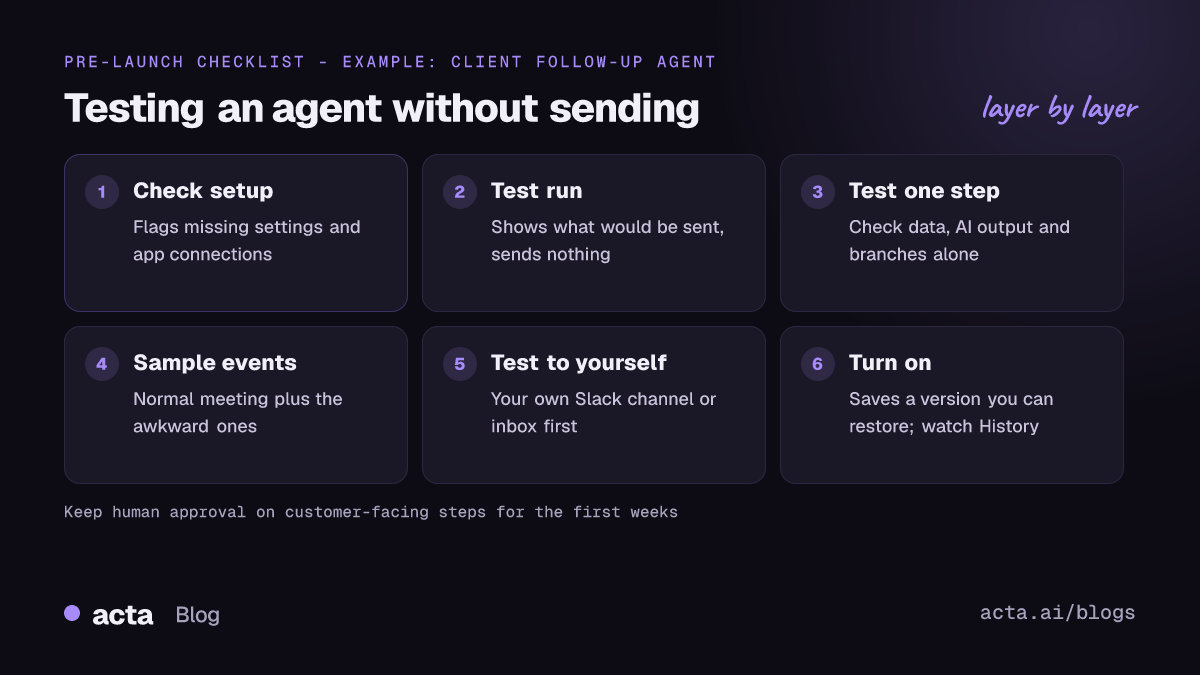
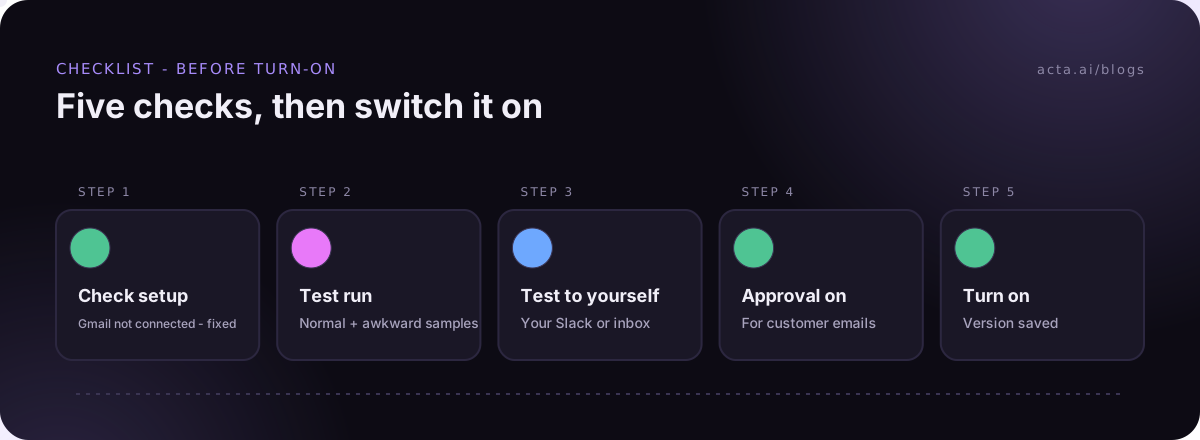
- Run Check setup. It flags missing settings and app connections, like a Slack step with no channel or a Gmail account that was never connected.
- Do a full test run on your normal sample meeting and read every output.
- Do a test run on the weird samples (no action items, big meeting, near-miss title).
- Send one test to yourself and look at it in the real app.
- Decide on approval. Anything that goes to a customer gets a human approval step for the first few weeks at least. More on that in our post on human approval in automation.
- Name it properly. "Client follow-up - Priya - draft for approval" beats "Agent 3".
- Turn it on, then check History after the first two or three real runs.
What if it goes wrong after you turn it on?
Something will be off eventually. A teammate renames the weekly sync. Someone's Slack connection expires. The fix is easier if you set yourself up for it.
In Acta, each time you turn an agent on it saves a version, and you can restore an earlier one. So if Tuesday's edit made the summaries worse, you roll back to Monday's and figure it out calmly. History shows what every step did on every run: what the trigger received, what the Acta data step returned, what the AI wrote, what got sent. When someone asks "why did Dana get two emails?", History is where you look first.
And the approval step is your safety net while you learn the agent's habits. The run pauses in an Approvals inbox; you can edit the text, then approve or reject. If nobody answers before it expires (24 hours by default, up to 7 days), nothing is sent. For a new agent that's the right default. A late follow-up is a lot better than a wrong one.
We go deeper on what breaks after launch in why automations break.
Does this work the same in Zapier, Make and n8n?
Mostly, yes. The habits you use to test automation without sending are the same everywhere; only the buttons differ.
- Zapier is good at walking you through each step with real sample records. Just remember action tests are live, so test the send step against yourself or skip that test and use a sandbox target.
- Make is great for watching data move through a scenario visually. Run once is a real run, so disable or reroute the external modules while testing.
- n8n gives you the most control: pinned data, editable test inputs, and error workflows. You'll put in more setup time for that control.
Where Acta is different is the starting point. The trigger is a meeting, the data is already there (summary, action items with owners and due dates, decisions), and the test run shows the finished message without sending it. If your automation starts from a meeting, that removes a lot of the plumbing you'd otherwise have to test. If it doesn't start from a meeting, a general tool may be the better fit. Our Acta Agent Builder vs Zapier comparison goes through where each one wins.
A worked example: the follow-up email agent
Here's how this looks for a real-ish setup (an example, not a customer story). Your AE, Marco, wants a follow-up email drafted after every call with "Client" in the title.
- Trigger: Meeting ended, title contains "Client".
- Acta data: get the meeting's summary and open action items.
- AI step: write a short follow-up: thanks, what we agreed, who does what by when.
- Approval: Marco reviews it.
- Gmail: send to the external attendees.
Testing it: Check setup catches that Marco never connected Gmail. Fixed. The test run on last Thursday's call looks good. The test run on an internal "Client prep" meeting shows the filter matched it, so the email would have gone to two colleagues. Marco changes the filter to "Client call". A test sent to his own inbox shows the action items list is too long on mobile, so he tells the AI step "max 4 bullets". Then he turns it on, and approval stays on for the first month.
Total time, about 20 minutes. If you want the full build from scratch, see how to automate meeting follow-up emails, or browse ready-made agents on the Acta agents page.
Frequently asked questions
Can I test an automation without it sending real emails?
Yes. In Acta Agent Builder a test run shows what would be sent without sending it. In tools where action tests are live, swap the send step for a message to yourself while you test.
What is a dry run in automation?
A dry run executes every step except the ones that deliver something, and shows you the output instead. It's the safest way to check recipients, fields and wording.
How do I send a test to myself?
In Acta you can send a test to your own Slack channel or email instead of the real destination. Elsewhere, point the final step at your own address or a private sandbox channel.
What sample data should I test with?
A normal meeting plus the awkward ones: no action items, lots of attendees, and a title that almost matches your filter. Most live failures come from the cases nobody tested.
What happens if a bad version goes live?
Each turn-on in Acta saves a version, so you can restore the previous one. Then check History to see exactly which step produced the problem.
Want to try it on your own meetings? Start a free 15-day Acta trial.