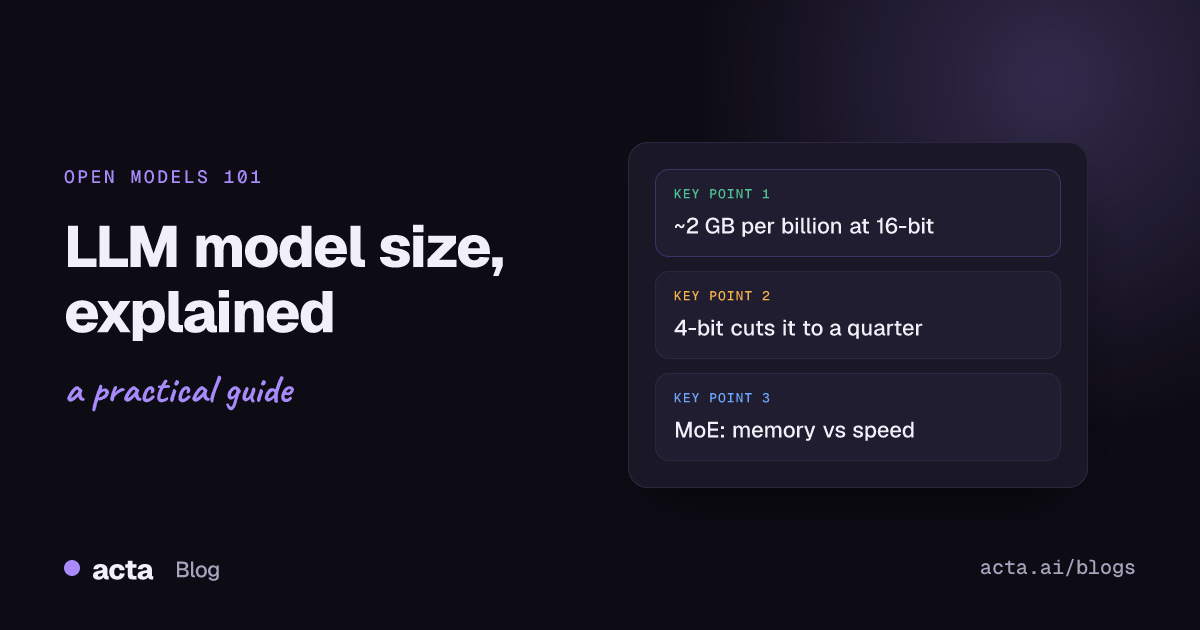
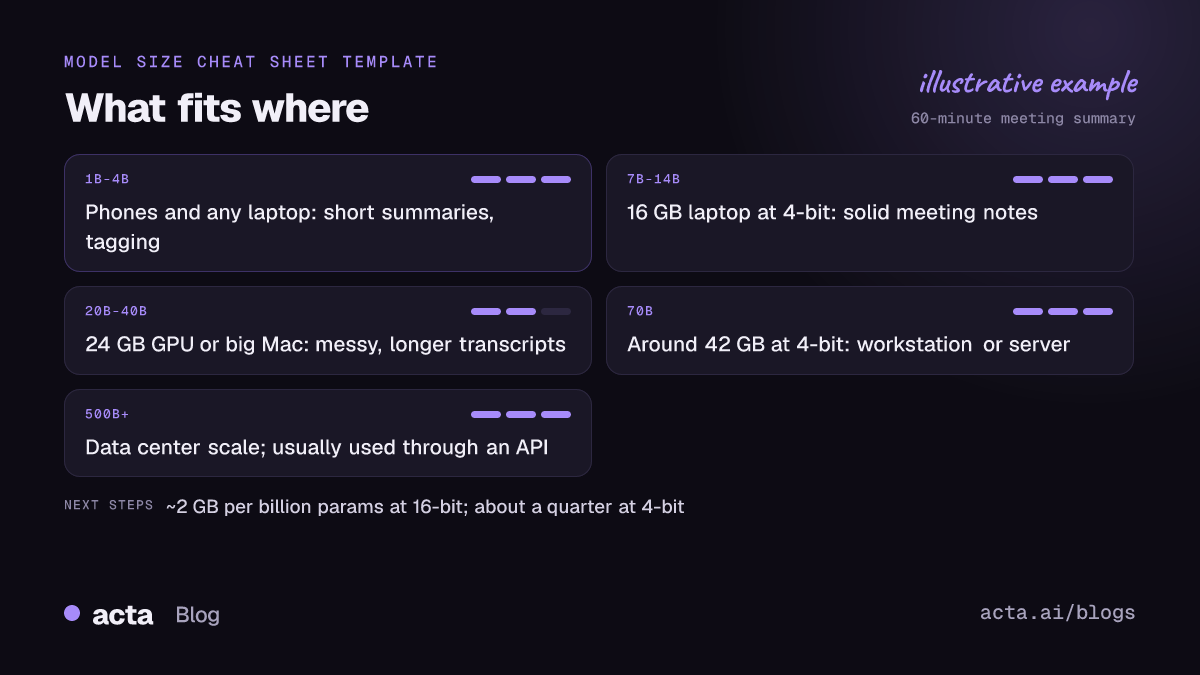
Quick answer: LLM model size is the number of parameters (learned weights) a model has, written as 2B, 9B, 27B or 500B+. Size decides how much memory you need, roughly 2 GB per billion parameters at 16-bit and about a quarter of that at 4-bit, and loosely how capable the model is. For everyday work like summarizing a meeting, a well-trained mid-size model is usually enough.
Browse Hugging Face for ten minutes and every model name carries a number: 1.7B, 8B, 30B-A3B, 671B. People treat that number like horsepower, and it sort of is, but it mostly tells you something more boring and more useful: whether the thing will load on your machine at all. I'll walk through what the numbers mean in practice, with one running example. You have the transcript of a 60-minute team meeting and you want a short summary, the decisions, and who owes what.
What does LLM model size actually measure?
A parameter is one number inside the model, a weight that got tuned during training. A 9B model has about nine billion of them. When you run the model, every word it writes is computed by pushing your text through those weights, so the parameter count is a decent proxy for two things: how much the model could absorb during training, and how much work your computer does per word.
What the parameter count doesn't tell you is how good the training was. Two models with the same LLM model size can behave very differently because one saw better data or got better fine-tuning. That's why a recent small model can beat an older model several times its size on everyday tasks. Treat the number as a hardware budget first and a quality hint second.
You'll also see suffixes. "Instruct" or "it" means the model was tuned to follow instructions, which is what you want for summaries. "Base" means it wasn't. And a name like 30B-A3B means a mixture-of-experts model with 30B parameters in total but only about 3B used per word. More on that below.
How much RAM do I need for an LLM?
Here's the rule of thumb, straight from the Hugging Face guide to optimizing LLMs for speed and memory: loading a model with X billion parameters takes roughly 2 × X GB of memory in 16-bit precision (bfloat16 or float16), and 4 × X GB in full 32-bit. Most models ship in 16-bit, so "2 GB per billion" is the number to remember.
That's just for the weights. The model also needs working memory for your conversation (the KV cache), and that grows with the length of the text you feed it. Modal's VRAM guide adds about 20% on top for that overhead and works through a 70B model at 4-bit landing around 42 GB. Long inputs can push past that 20%, and a full meeting transcript is a long input.
Quantization is what makes local models practical. It stores each weight in fewer bits: 8-bit is about 1 byte per parameter, 4-bit about half a byte. So the rough arithmetic looks like this:
- 2B model: about 4 GB at 16-bit, comfortably under 2 GB at 4-bit.
- 9B model: about 18 GB at 16-bit, roughly 5 to 6 GB at 4-bit with overhead.
- 27B model: about 54 GB at 16-bit, around 16 GB at 4-bit.
- 70B model: about 140 GB at 16-bit, around 42 GB at 4-bit.
- 500B+ model: a terabyte or more at 16-bit. Even heavily quantized, this is server territory.
The download sizes in Ollama's Qwen3 library page line up with this. As of November 2026 it lists the 4B version at about 2.5 GB, the 8B at about 5.2 GB, the 30B at 19 GB and the 235B at 142 GB, all in its default quantized format. Then leave room for your operating system, browser and the meeting app you already have open. On a 16 GB MacBook Air, I'd treat 8 GB or so as the real budget for a model.
If you want the details of how 4-bit and 8-bit files differ, our explainer on GGUF quantization goes through the formats you'll see on Hugging Face.
What can each LLM model size realistically do?
These are broad bands, not hard lines. A newer model often punches above its size, and the right size depends as much on your input as on the task.
1B to 4B: quick, narrow jobs
Good at rewriting a paragraph, tagging a message, pulling names and dates out of short text, or summarizing a few pages. They run on phones and on any recent laptop. Where they slip: long inputs, multi-step reasoning, and keeping track of who said what across an hour of conversation. Our post on small language models on laptops and phones covers this band in depth.
7B to 14B: the laptop sweet spot
This is where most people running models locally end up. At 4-bit they fit on a 16 GB machine, and the better ones write tidy summaries and follow formatting instructions reliably. For our 60-minute meeting, a good 8B model can produce a usable summary, especially if you split the transcript into parts first.
20B to 40B: noticeably better judgment
You start to see better handling of messy transcripts: crosstalk, half-finished sentences, decisions that get reversed ten minutes later. You'll want a desktop GPU with 24 GB of VRAM or a Mac with lots of unified memory. This is also where many mixture-of-experts models live.
70B and up: workstation or server
Stronger reasoning and fewer odd mistakes, at the cost of serious hardware. Few people run these at home. Teams that need them usually run them on a GPU server with something like vLLM; our comparison of Ollama, LM Studio, llama.cpp and vLLM explains which tool fits which setup.
500B and beyond: frontier scale
Open models this large exist, and they're impressive. But "open weights" doesn't mean "runs on your machine." For almost everyone, models at this scale are something you reach through a hosted API.
Is bigger always better? 7B vs 70B in practice
No, and the 7B vs 70B question shows why. The 70B model will generally be smarter. It'll also be ten times heavier, slower per word on the same hardware, and pickier about where it can run. Whether that trade is worth it depends on the job.
For summarizing a meeting, most of the work is reading carefully and restating. A mid-size model handles that well. The places I'd pay for size are different: reasoning across several meetings, spotting that a decision contradicts something agreed last month, or answering a vague question like "what did we promise this customer?" Those reward bigger models.
The common mistakes I see:
- Picking the biggest file that technically loads. If the model spills out of GPU memory into system RAM, speed drops sharply. A slightly smaller model that fits fully is usually the better experience.
- Ignoring input length. A model that fits with a two-line prompt can run out of room when you paste in an hour of conversation.
- Comparing parameter count across generations. A recent 8B and an old 13B are not on the same scale.
- Quantizing too hard. Going below 4-bit to squeeze a bigger model in often costs more quality than just using a smaller model at 4-bit.
What are active parameters in MoE models?
Mixture-of-experts (MoE) models break the simple "size equals speed" link. Instead of one big block of weights, each layer holds many smaller "experts," and a router picks a few of them for each word. The total parameter count is everything stored. The active parameters are what actually runs for each word.
The official Qwen3-30B-A3B model card is a clean example: 30.5B parameters in total, 3.3B active, with 8 of its 128 experts used per token. Here's the catch for your laptop. All 30.5B have to sit in memory, because the router might pick any expert next, so memory follows the total. Speed follows the active count, which is why an MoE model like this can feel much quicker than a dense model of similar total size.
So when you read a model name, use the total for "will it fit?" and the active number for "will it be fast?" The full explanation, with bigger examples, is in our post on mixture of experts.
How to choose an LLM model size: a decision list
Work through this in order. Most people can stop at step three or four.
- Write down your memory budget. GPU VRAM if you have a dedicated card, otherwise about half your system RAM on a Mac with unified memory, less on Windows laptops without a GPU.
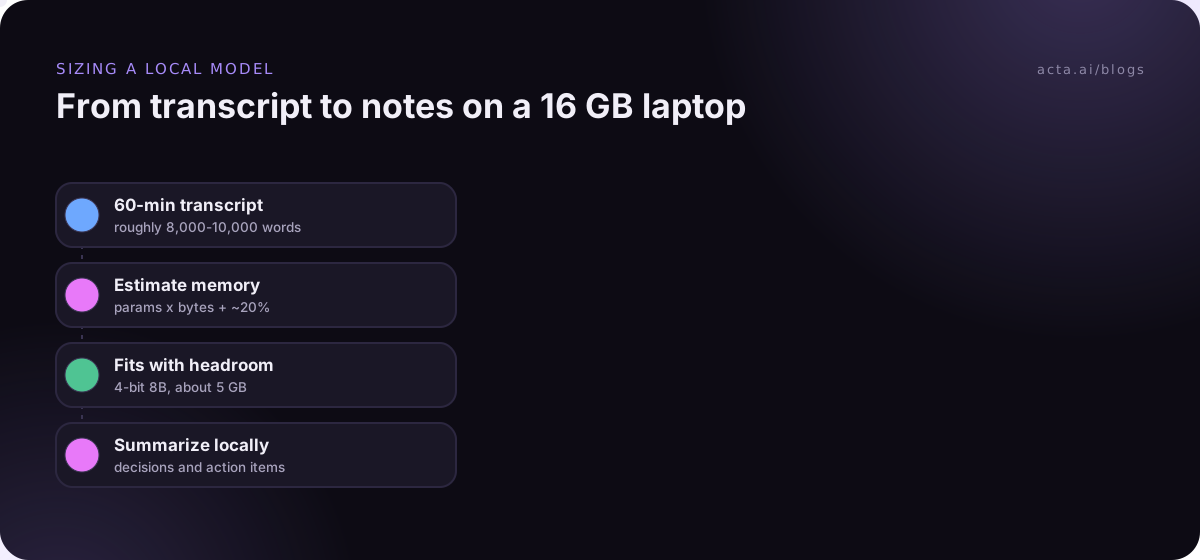
- Estimate your input. People speak roughly 130 to 160 words a minute, so a 60-minute meeting is often 8,000 to 10,000 words. Check that the model's context window covers that, or plan to split it.
- Start with the largest model that fits at 4-bit with room to spare. Leave 20% or more of the budget for the KV cache and your other apps.
- Test on your own data. Run three real transcripts and read the outputs. Look for invented decisions, wrong owners and missed action items, not polish.
- Go smaller if it's slow. If you wait a minute for every summary, you'll stop using it. Speed matters more than a slight quality gain.
- Consider an MoE model if you have memory but a weak GPU. Lots of RAM plus few active parameters is a nice combination.
- Move up a size only for reasoning-heavy work. Multi-meeting questions and contradiction-spotting are where bigger models earn their keep.
If you're ready to try this on your own machine, our walkthrough on how to run a local LLM on your laptop picks up from here.
Using it on meeting transcripts
Back to the 60-minute meeting. Say it's a sprint review with Priya, Marco and Dana. You have a transcript with speaker labels, you load a 4-bit 8B model, and you ask for a summary with decisions and action items. You'll probably get something decent. You'll also notice the parts the model doesn't do for you: getting a clean transcript with the right speaker names in the first place, catching a decision that Dana walked back at minute 52, putting tasks into Jira, and finding last month's related meeting when someone asks "didn't we already decide this?"
That last part is where model size stops being the bottleneck. Good meeting notes depend on the pipeline around the model as much as the model. Our guide on reducing hallucinations in AI meeting summaries covers the checks that matter more than parameter count.
When you'd rather not pick a model size yourself
Running your own model is a great way to learn, and for some private one-off jobs it's the right call. But if what you actually want is good notes after every meeting, sizing models and fixing transcripts gets old fast.
That's the job Acta does. It records Zoom, Google Meet and Microsoft Teams calls with a meeting bot, or without one through the desktop app or Chrome extension, and it handles in-person meetings through its mobile apps or uploaded recordings. If you're recording other people, check our post on what to tell participants when you record meetings with AI. You get transcripts with speaker names, summaries, decisions, action items with owners and follow-up email drafts, plus OneChat for asking questions across all your meetings with sources. Acta does not use customer data to train AI models. There's no model to download or GPU to size.
Frequently asked questions
What does the B in 7B or 70B mean?
Billion. A 7B model has about seven billion parameters, the learned weights that turn your input into its answer. It's the most common way to state LLM model size.
How much RAM do I need for an LLM with 8B parameters?
About 16 GB for the weights at 16-bit, using the 2 GB per billion rule. At 4-bit it drops to roughly 5 GB, plus room for the conversation. A 16 GB laptop handles a 4-bit 8B model fine.
Does a bigger parameter count mean more accurate summaries?
Only up to a point. Training quality matters as much as parameter count, and for straightforward summaries a good mid-size model gets most of the way. Size helps most with reasoning across long or multiple documents.
Why does an MoE model need so much memory if only a few experts run?
Because any expert might be needed for the next word, so all of them must be loaded. Memory follows total parameters; speed follows active parameters.
Does quantization make a model worse?
A little. 8-bit is close to the original for most tasks, and 4-bit is usually a good trade. Below that, quality drops faster, so a smaller model at 4-bit often beats a bigger one squeezed harder.
If you'd rather get meeting summaries without choosing a model at all, start a 15-day free trial of Acta.