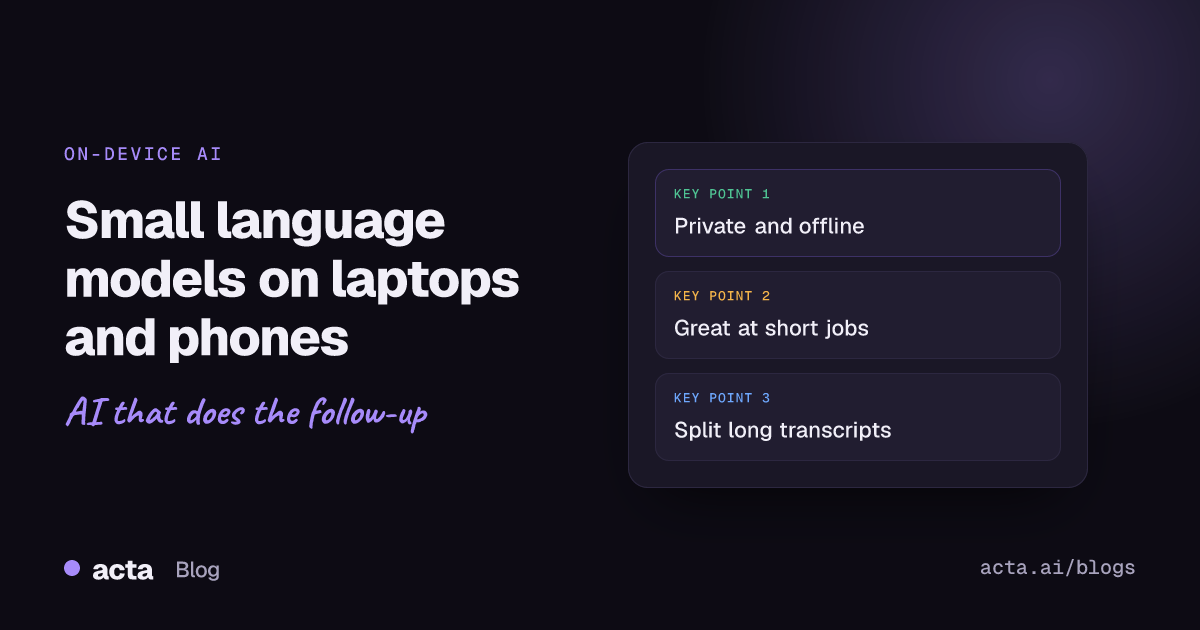
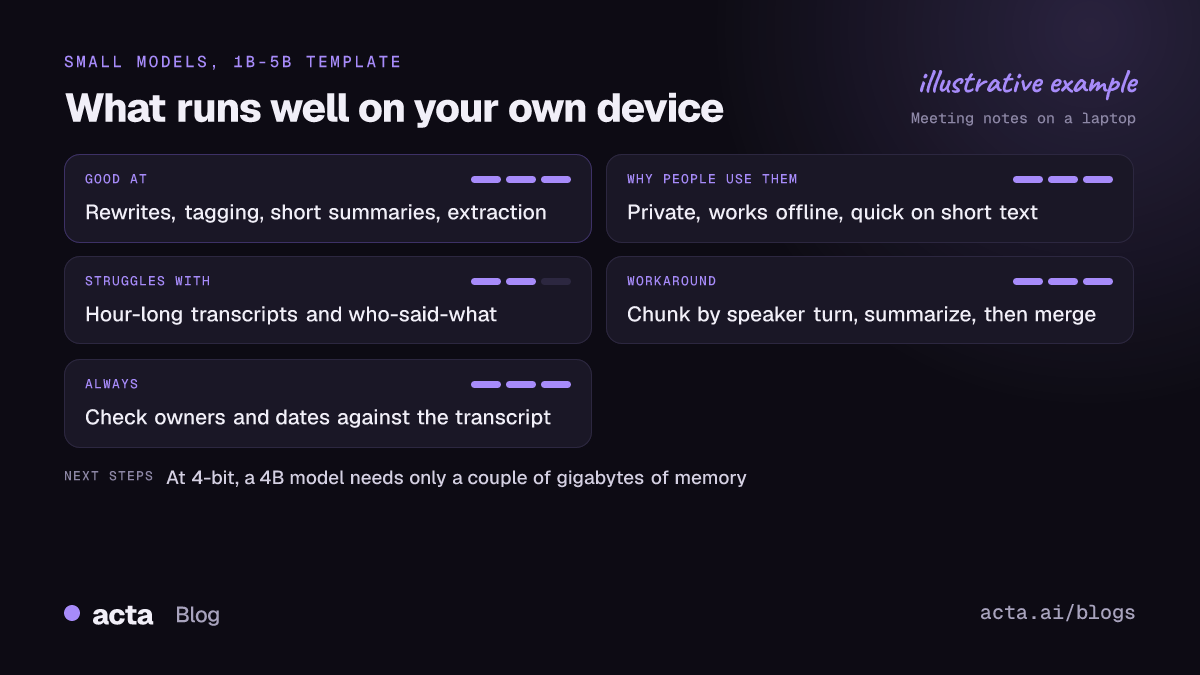
Quick answer: Small language models are LLMs with roughly 1 to 5 billion parameters, small enough to run on a laptop or phone. They're good at private, offline, quick jobs: rewriting, tagging, short summaries, pulling out names and dates. They struggle with very long inputs like a full hour-long transcript and with multi-step reasoning, so split long text into chunks and check the output.
A year or two ago, "running AI on your phone" mostly meant a demo. Now Hugging Face's trending lists carry a steady stream of tiny ones: small Qwen3 sizes, Liquid AI's LFM2 family, Google's Gemma 3n. They're genuinely useful for certain jobs. They're also easy to oversell. This post is about where they earn their place on your own devices, where they don't, and what that means if your real goal is decent notes from your meetings.
What counts as a small language model?
There's no official cutoff. In practice, people use "small" for models from a few hundred million parameters up to about 4 or 5 billion. The reason that band matters is memory: at 4-bit quantization, a 4B model needs only a couple of gigabytes, which fits alongside everything else on a normal laptop and on many recent phones.
Small doesn't mean simple. These models are usually trained the same way as their big siblings, sometimes partly by learning from a bigger model's outputs, and recent ones follow instructions well. What they lack is room. Fewer parameters means less stored knowledge and less capacity for long chains of reasoning.
If you want the general picture of how parameter count maps to memory, our LLM model size explainer covers it. The rule of thumb is about 2 GB per billion parameters at 16-bit, and roughly a quarter of that at 4-bit.
Which small language models are people running?
A few families keep showing up on Hugging Face's trending lists. Here's what their official model cards say, as of November 2026. Versions change fast, so check the card before you rely on a number.
Qwen3 small sizes
The Qwen3 line includes 0.6B, 1.7B and 4B models. The Qwen3-4B model card lists about 4.0B parameters and a context length of 32,768 tokens natively, extendable to 131,072 with a technique called YaRN. A later Qwen3-4B-Instruct-2507 variant lists 262,144 tokens natively. Qwen3-1.7B has a 32,768-token context. In Ollama's library, the 4B download is about 2.5 GB.
Liquid AI LFM2
Liquid AI built LFM2 specifically for on-device AI, with a hybrid design that mixes convolution and attention layers. The LFM2-1.2B model card lists about 1.17 billion parameters and a 32,768-token context length, and the family includes 350M, 700M and 2.6B dense models. There's also a newer LFM2.5 generation; its 2.6B card lists a 128K context window.
Gemma 3n
Google's Gemma 3n comes in E2B and E4B sizes, where the E means "effective" parameters. According to the Hugging Face Gemma 3n launch post, E2B has about 5B real parameters but uses GPU memory like a 2B model, and can run in as little as 2 GB of GPU RAM, with E4B at about 3 GB. It also takes image, audio and video input, which is unusual at this size.
What are small language models good at?
Three things, mostly.
- Private by default. The text never leaves your device. For a quick rewrite of a sensitive email or a summary of HR notes, that's a real advantage, and it's often the main reason people try on-device AI in the first place.
- Works offline. An offline AI model on a laptop keeps working on a plane, in a basement meeting room or on hotel Wi-Fi that drops every five minutes.
- Quick on short jobs. For a paragraph or two, a small model on a recent laptop answers in a second or two. There's no network round trip and no queue.
Good tasks for them: cleaning up your own rough notes, turning bullet points into a paragraph, classifying a message ("is this a support request or a sales lead?"), extracting dates and names, drafting a short reply, or summarizing a page of text. I use small models for exactly this kind of glue work, and they're great at it.
Where do small language models fall short?
This is where people get burned, so it's worth being specific.
Long transcripts
An hour of conversation is often 8,000 to 10,000 words. Even when a model's context window can technically hold that, small models tend to lose track in long inputs. They'll summarize the first and last parts well and blur the middle. They also have less memory to spare for long inputs on a phone, since the working memory grows with the length of the text.
Reasoning and who-said-what
"Marco agreed to own it, then Dana said she'd take it instead" is easy for a person and surprisingly hard for a 1B model. Small models more often attach action items to the wrong person, merge two decisions into one, or present a suggestion as a decision.
Confident mistakes
All language models can invent things. Small ones do it more, and they do it fluently. A summary that reads well can still contain a deadline nobody mentioned. Our guide on reducing hallucinations in AI meeting summaries goes into the checks that help.
Battery and heat on phones
Running a model on a phone works, but it's heavy work for the chip. Expect warmth and battery drain on long jobs. Fine for a quick summary, less fine as an all-day habit.
Can a small language model summarize a meeting?
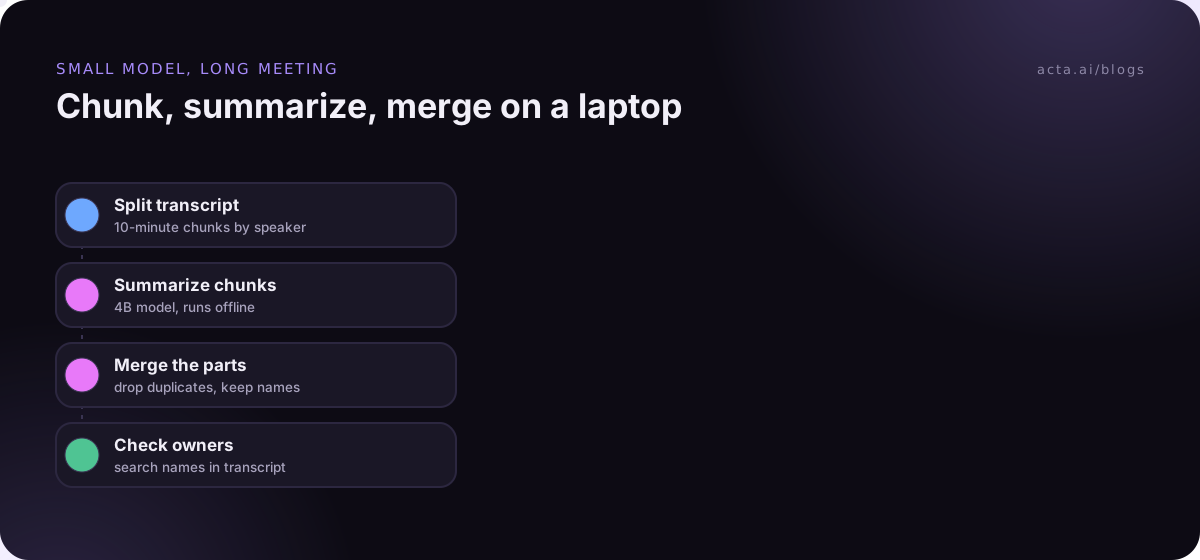
Yes, if you help it. Feeding a full 60-minute transcript to a 1.7B model and asking for "decisions and action items" usually gives you something vague. Breaking the job into pieces works much better:
- Split the transcript into chunks of about 10 minutes, cutting at speaker turns so no sentence gets cut in half.
- Summarize each chunk with a tight prompt: "List decisions, action items with the named owner, and open questions. If none, say none."
- Merge the chunk summaries in a second pass, asking the model to remove duplicates and keep owner names exactly as written.
- Check against the transcript. Skim each action item and search the transcript for the owner's name. This takes two minutes and catches most errors.
This chunk-then-merge pattern is the same one larger systems use. If you want the deeper version, see our post on chunking meeting transcripts by speaker turn. A 4B model is a better starting point than a 1B one for this kind of work.
How do you try small language models on your own devices?
On a laptop, it takes about five minutes:
- Install a local runner. Ollama or LM Studio are the easiest. Our guide to running a local LLM on your laptop walks through both.
- Pull a small model. In Ollama, ollama run qwen3:4b downloads and starts it. In LM Studio, search for the model and pick a 4-bit GGUF file.
- Test on your own text. Paste a real email or a 10-minute slice of a transcript, not a toy example.
- Compare against a bigger model on the same input. If the small one is close enough, keep it. If not, you've learned where the line is.
Phones are fiddlier. Some model families publish phone-ready versions; the Gemma 3n launch post, for example, lists Google AI Edge, MLX and llama.cpp among the supported tools. For most people, though, the phone is the place to capture the meeting, not to run the model.
Using small language models on meeting notes
Where small models fit best in meeting work is the edges: rewording your own notes, tagging a meeting by project, turning action items into a tidy message. They're a weaker fit for the core job of turning a long, multi-speaker conversation into accurate decisions with the right owners, at least without the chunking work above and a careful read afterward.
There's also the capture problem. A model, small or large, needs a clean transcript with speaker names. Getting that from a laptop call or a conference room is its own job.
When you'd rather not run models yourself
That's the part Acta handles. On a laptop, the Acta desktop app for Windows and Mac captures Zoom, Google Meet and Microsoft Teams calls without a bot joining, and the Chrome extension does the same in the browser. For in-person meetings, the Acta mobile app records on your phone, and you can also upload recordings. Before recording colleagues or clients, read our guide on consent and what to tell participants.
To be clear about what it is: Acta is a hosted service, not an on-device model. What you get is transcripts with speaker names, summaries, decisions, action items with owners, follow-up email drafts, and OneChat to ask questions across your meetings with sources. Acta does not use customer data to train AI models. If you like small models for quick private edits, keep them. They pair fine with notes that come from somewhere else.
Frequently asked questions
What is the difference between a small language model and an LLM?
Mostly size. Small language models are LLMs with roughly 1 to 5 billion parameters, built to run on everyday hardware. They trade some knowledge and reasoning for speed, privacy and low memory use.
Can I run AI on my phone without internet?
Yes, with a small model and an app that supports on-device AI. It works for short tasks. Long jobs drain the battery and can be slow, and output quality is below what larger models give.
Which small model should I try first?
A 4B-class instruct model is a sensible start, for example Qwen3-4B, which is about a 2.5 GB download in Ollama. Try a 1-2B model only if your device is tight on memory.
Is an offline AI model more private?
The text stays on your device, which removes one big risk. You still need to protect the device itself and the files the model reads and writes.
How long a transcript can a small model handle?
Check the context window on the model card; many small models list 32K tokens or more. In practice, quality drops on long inputs well before that limit, so split anything longer than about 10 to 15 minutes of conversation.
Want accurate meeting notes on your laptop and phone without managing models? Start Acta's 15-day free trial.