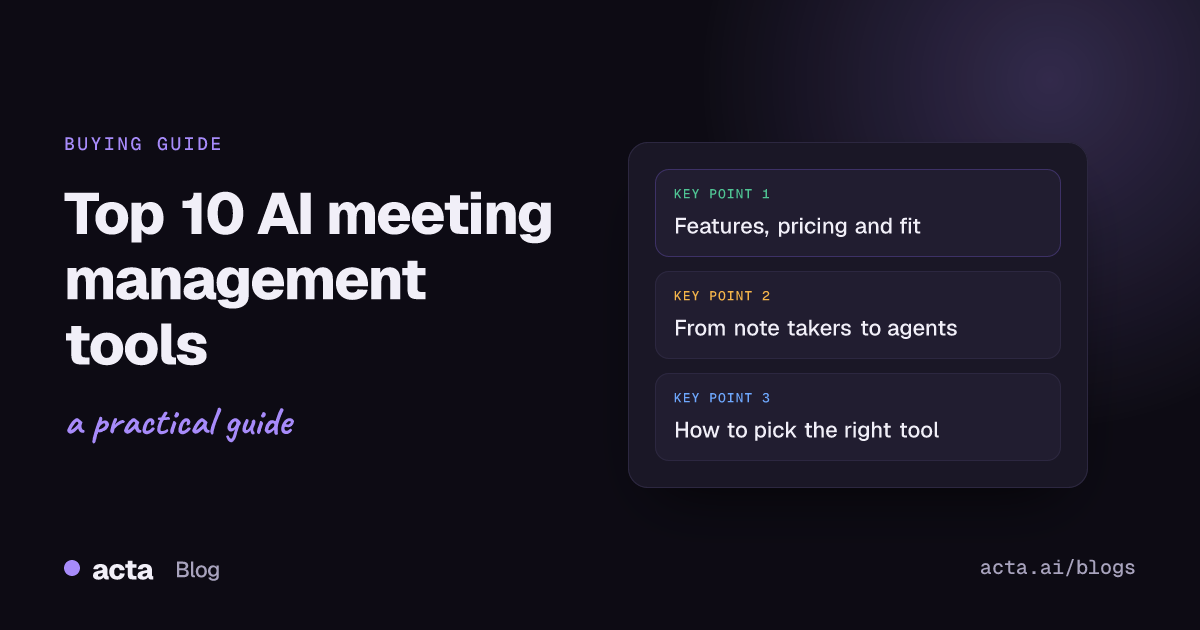
Quick answer: The top AI meeting management tools in 2026 are Acta, Fireflies, Fathom, Otter, tl;dv, Fellow, Avoma, Read AI, Granola and Motion. Pick by job: Acta and Motion turn meetings into execution, Fathom and tl;dv have the strongest free tiers, Fellow suits compliance-heavy teams, Avoma and Fireflies serve revenue teams, and Granola offers bot-free notes on Mac.
Your meetings are generating more data than ever. The question is whether you are capturing it or losing it.
Meetings are no longer just conversations. They hold decisions, action items, strategy shifts and institutional knowledge, and most of it vanishes the moment someone closes the Zoom tab.
In 2026, AI meeting management tools go well beyond transcription. The best platforms combine real-time intelligence, AI agents, CRM sync, workflow automation and searchable meeting memory, so each call becomes a structured, usable record. Whether you are a founder running lean, a sales leader scaling a team or an IT head standardizing governance across hundreds of meetings a week, there is now a tool built for your workflow.
How were these AI meeting tools evaluated?
Each tool in this guide was assessed on five dimensions:
- Core AI capabilities: transcription, summaries, action items, decisions and search
- Integrations and workflow automation: how meeting output reaches the rest of your stack
- Security and compliance: certifications, data handling and admin controls
- Pricing transparency: free tiers and published paid plans
- Best-fit use case: the team or person the tool suits best
Pricing and features below reflect each vendor's published information at the time of writing and change often, so check before you buy.
What are the 10 best AI meeting management tools in 2026?
1. Acta: best for AI agent automation in the enterprise
If most AI meeting tools are recorders with a summary on top, Acta works differently. It is built around domain-specific AI agents, each tuned to a business role such as sales, recruiting, product and engineering, customer support or investing.
Rather than only transcribing what was said, Acta runs each conversation through role-specific intelligence. It extracts summaries, action items with owners and due dates, and the decisions that were made, then pushes that output into the tools where work happens. Most tools stop at notes; Acta is designed to move those notes into action without manual handoffs.
Key features:
- Role-based AI agents: sales frameworks such as MEDDPICC, BANT, SPIN and SPICED, recruiting assessments, PRDs and Jira tickets, CTO and project status reports, investor dealflow and portfolio check-ins
- Flexible capture: a meeting bot for Zoom, Google Meet and Microsoft Teams, a bot-free desktop app, a Chrome extension, mobile apps or uploaded recordings
- Structured output: transcripts with speakers, summaries, key takeaways, action items, decisions and follow-up email drafts
- Workflow integrations: Jira and other ticketing tools, Confluence, Notion, Google Drive, Salesforce, HubSpot and Zoho
- Organizational memory: OneChat lets you ask questions across all your meetings and uploaded files, with sources, and build consolidated reports across many meetings
- Access controls: people only see the meetings they have access to
Best for: mid-sized and large IT and SaaS companies that want AI to do more than take notes, and need meetings to drive execution rather than documentation.
Pricing: listed at $2.50 per user per month at the time of writing, with enterprise plans available. See Acta pricing for current plans and the free 15-day trial.
2. Fireflies: best for breadth of integrations
Fireflies is one of the most widely adopted AI meeting assistants, largely because of its ecosystem reach. With connectors spanning CRMs, project management tools, chat apps and storage, it turns meetings into workflow triggers across your stack.
- Automatic recording and transcription across Zoom, Google Meet, Teams and Webex
- AI summaries, topic tracking and sentiment analysis
- Search across your meeting library with keyword and speaker filters
- CRM sync to Salesforce, HubSpot, Pipedrive and others
- Soundbites: shareable audio clips for async updates
- Daily and weekly digests of key decisions and follow-ups
- 100+ integrations through native connectors and Zapier
Best for: sales and operations teams with high meeting volume who need meeting data to flow into existing tools without manual entry.
Pricing: free tier with 800 minutes of storage per seat; paid plans from $10 per user per month. For a side-by-side view, see Acta vs Fireflies.
3. Fathom: best free tier for individuals
Fathom is among the highest-rated AI note takers on G2, thanks largely to unlimited free recording, fast post-call processing (around 30 seconds) and high claimed transcription accuracy. In a market where "free" usually means capped, Fathom's free tier is usable at a professional level.
- Unlimited free recording, storage and AI summaries, with no credit card required
- Summaries ready almost immediately after the meeting ends
- Structured output that separates action items, decisions and discussion points
- HubSpot and Salesforce integrations for sales teams
- Shareable highlight clips
- Clean, minimal interface with easy onboarding
Best for: individual contributors, freelancers, consultants and small teams, and as a starting point before committing to a larger platform.
Pricing: free (unlimited); paid plans from $19 per user per month for team features.
4. Otter: best for real-time live transcription
Otter was one of the first AI meeting tools on the market, and real-time transcription is still its core strength. Its chat interface lets you ask questions about meeting content instead of reading full transcripts, which helps when you need one specific decision from a long call.
- Real-time live transcription with speaker identification
- OtterPilot, a bot that joins meetings, takes notes and sends summaries
- Natural-language chat across your transcript library
- Highlights, comments and teammate tags inside transcripts
- Supports Zoom, Google Meet and Microsoft Teams
Best for: individuals and small teams who prioritize live captions and a searchable archive.
Pricing: free (300 minutes a month, 30 minutes per meeting); Pro from $8.33 per user per month billed annually.
5. tl;dv: best for multi-meeting pattern analysis
While most tools focus on one meeting at a time, tl;dv emphasizes patterns across many conversations. For product teams, customer success leaders and researchers who need themes from dozens of calls, that is a real differentiator.
- Unlimited free recordings for Zoom and Google Meet
- Multi-meeting reports that surface trends across a library of calls
- Clips for sharing precise moments
- CRM-connected follow-ups
- Transcription in 30+ languages
- Timestamped highlights for async alignment
Best for: product teams, UX researchers and customer success managers who run regular discovery or feedback sessions.
Pricing: free (unlimited recordings); Pro from $18 per user per month; Business at $59 per user per month with coaching and analytics.
6. Fellow: best for security and the full meeting lifecycle
Fellow combines SOC 2 Type II, GDPR and HIPAA coverage with a team-friendly price, and it covers the whole meeting lifecycle, from agenda building to note capture to action tracking and analytics.
- Before the meeting: collaborative agendas, templates and briefing documents
- During the meeting: AI note taker with pause controls
- After the meeting: action items, decisions, follow-up summaries and analytics
- Bot-free recording through a desktop app for in-person and sensitive conversations
- No AI training on customer data; transcript redaction available
- 50+ integrations including Salesforce, HubSpot, Jira, Asana and Slack
- Workspace-level auto-record policies for IT and RevOps
Best for: compliance-sensitive organizations in legal, healthcare and financial services where data governance is non-negotiable.
Pricing: from $7 per user per month; enterprise plans with custom security controls.
7. Avoma: best for sales coaching and customer-facing teams
Avoma is built for revenue teams. Its topic tracking shows what people discuss most and when each topic usually comes up in a call, which helps structure future meetings and coach reps.
- Agenda templates, AI notes and post-call analytics
- Conversation intelligence: topic tracking, talk-time ratios and sentiment
- AI scoring for sales coaching
- CRM sync to Salesforce, HubSpot, Copper and Pipedrive
- Searchable recording library with shareable clips
- Deal and account intelligence for revenue leaders
Best for: sales and customer success teams that need call coaching, pipeline visibility and CRM hygiene to improve together.
Pricing: from $19 per user per month; enterprise pricing available.
8. Read AI: best for meeting analytics and engagement scoring
Read AI looks at how a meeting went, not just what was said. It reports engagement scores, attention metrics and talk-time breakdowns, giving managers a data-driven view of meeting health.
- Engagement scoring per participant, live and after the meeting
- Talk-time analytics, filler-word tracking and effectiveness metrics
- AI summaries with action items and key decisions
- Search across meetings, email and Slack
- Works with Zoom, Teams and Google Meet
- Team-level dashboards for meeting culture
Best for: people managers, HR leaders and team leads who want to improve meeting effectiveness as a discipline.
Pricing: free tier available; paid plans from $19.75 per user per month.
9. Granola: best bot-free option for Mac users
Granola never adds a bot to your call. It captures system audio on your Mac, combines it with notes you type during the meeting and produces a structured summary, with no visible extra participant.
- Local audio capture that works with any meeting platform
- Your own notes merged with AI summaries
- Templates for standups, 1:1s, strategy sessions and client calls
- Audio processed without cloud storage of raw recordings
- Lightweight native macOS app
Best for: founders, executives and consultants on Mac who run sensitive calls where a visible bot would cause friction.
Pricing: free trial; paid plans from $18 per month.
10. Motion: best for meeting and task orchestration
Motion links meeting notes to project execution. Its AI note taker records and summarizes meetings, turns action items into tasks with deadlines, then schedules them around each person's availability. It works out not only what to do next but when it will get done.
- Transcription and AI summaries
- Action items converted into scheduled tasks with deadlines and priorities
- A scheduling engine that reshuffles tasks when priorities change
- Timeline predictions based on workload and past delivery
- Integrations with Zoom, Google Meet and calendar tools
Best for: project teams that struggle with follow-through and want meeting output to drive the work calendar.
Pricing: from $19 per user per month; team plans available.
How do you choose the right AI meeting tool?
The right tool depends on what you want your meeting intelligence to do:
- Meetings that drive execution automatically: Acta and Motion orchestrate what happens next, not just what was said.
- A budget or a first try: Fathom's unlimited free tier and tl;dv's free recordings are easy starting points.
- Security and compliance as hard requirements: Fellow's SOC 2 Type II, GDPR and HIPAA coverage stands out.
- Sales or customer-facing teams: Avoma and Fireflies are built for revenue workflows, CRM sync and coaching.
- Sensitive meetings with no bot: Granola's Mac app avoids the awkwardness, and Acta offers bot-free capture through its desktop app.
- Patterns across meetings: tl;dv's multi-meeting reports and Read AI's engagement analytics offer a different kind of insight.
For a wider view of how these tools stack up against Acta, browse the Acta comparison pages.
Why is the note-taker era ending?
The shift in 2026 is clear: the tools that win treat meeting intelligence as an input to business execution, not a document to file and forget. Research such as Microsoft's Work Trend Index shows how much of the working week now goes to meetings and communication, so the value lies in what happens after the call.
The best platforms are not asking "what was said?" They are asking "what should happen next, for whom, and by when?" That is the standard worth holding any AI meeting tool to. We make the same argument in why execution platforms are replacing AI meeting assistants.
Frequently asked questions
What is an AI meeting management tool?
It is software that records or joins your meetings and uses AI to produce transcripts, summaries, action items and decisions. The more advanced tools also push that output into CRMs, ticketing systems and calendars.
Which AI meeting tool has the best free plan?
Fathom offers unlimited free recording, storage and summaries, and tl;dv offers unlimited free recordings for Zoom and Google Meet. Otter's free plan is capped at 300 minutes a month.
Can I use an AI note taker without a bot joining the call?
Yes. Granola captures audio locally on Mac, Fellow has a bot-free desktop option, and Acta records without a bot through its desktop app, Chrome extension and mobile apps.
Which tool is best for turning meetings into tasks?
Acta and Motion focus on execution. Acta's agents create action items with owners, decisions and Jira tickets, while Motion schedules action items on the team calendar.
Want to see meetings turn into work rather than notes? Try Acta free for 15 days.