Quick answer: In the open source LLM vs API decision, self-hosting gives you control over data location, model choice and per-request cost at high volume, but you pay for hardware, engineers and uptime. An API gets you working in days and charges per use. A finished tool skips both when your need is a common workflow. Most business teams should start with an API or a tool and self-host only with a clear reason.
This question usually arrives in a meeting. Someone has seen that open models on Hugging Face are getting very good, someone else has seen the API bill, and the team wants to know if they should "just run our own". The honest answer depends less on the model than on everything around it. I'll use one running example the whole way through: automatic notes for your team's meetings. It's a common first project, and it shows quickly where the real work hides.
What are the three options, really?
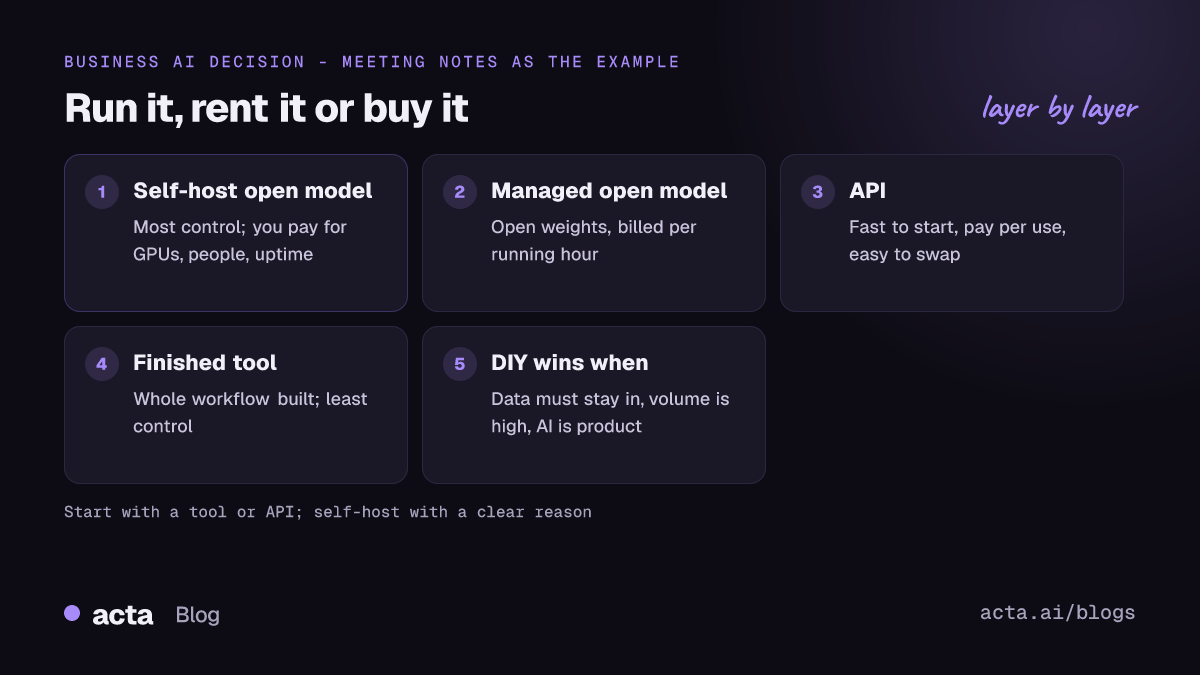
- Run an open model yourself. You download weights from Hugging Face and serve them on your own GPUs, in your cloud account or on premises. You pick the model, the version and the hardware.
- Call a model through an API. A provider hosts the model. You send text, get text back, and pay per use. That provider might serve a closed model or an open one.
- Buy a finished tool. Someone else has built the whole workflow, models included, and you use the product.
There's a middle path between 1 and 2: managed hosting of open models. Hugging Face's Inference Endpoints, for example, deploy a model from the Hub on dedicated infrastructure that Hugging Face runs, billed on the compute hours of endpoints that are running. You get open weights without racking servers, but you're paying for time, not tokens, so an idle endpoint still costs money.
Open source LLM vs API: what actually drives the cost?
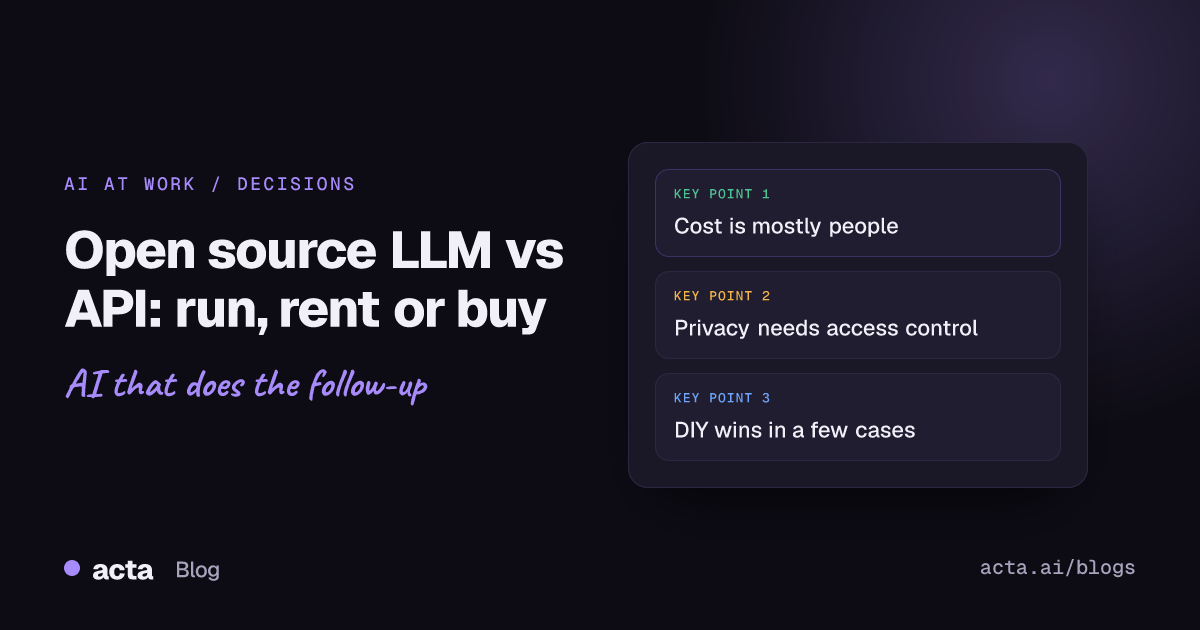
People compare a GPU's price with an API's per-token price and stop there. That comparison leaves out most of the bill. The open source LLM vs API question is really a total cost question, and most of the total isn't the GPU.
Hardware
A model has to fit in GPU memory with room for the conversation. Bigger models need bigger or more GPUs; quantized versions need less but lose some quality. Our explainer on LLM model size covers the basic arithmetic. Then add a second machine, because one server is one outage away from no service.
People
Someone has to choose the model, set up a serving stack, patch it, watch it, and swap in a newer model when one appears. Tools like vLLM's OpenAI-compatible server make the serving part much easier: you start it with one command and existing client code can talk to it. That's real progress. It still needs an owner, and that person's time is usually the biggest line in a self-hosting budget.
Uptime and load
APIs charge for what you use. Your own GPU costs the same at 3 a.m. on a Sunday as it does at 10 a.m. on a Monday. If your usage is spiky, like meetings clustered in business hours, you're paying for a lot of idle time unless you build autoscaling.
Where self-hosting gets cheaper
At high, steady volume the math flips. If you're pushing a large and predictable stream of text through a model all day, owning the hardware can beat per-request pricing. The crossover depends on your volume, model size and staff costs, so run your own numbers with your own usage logs rather than trusting anyone's blog post, including this one.
Is self-hosting more private than an API?
It can be, but it isn't automatic. Running the model yourself means prompts and outputs don't leave infrastructure you control. That matters for some regulated data and some contracts, and it's the main reason teams look at on-premises AI meeting assistants.
But privacy also covers who inside your company can read what. A self-hosted model with a shared admin login and transcripts in a public bucket is less private than a well-run vendor. The questions to ask either way:
- Where is the data stored, and for how long?
- Is it used to train anyone's models?
- Who can see which meeting, and is that enforced or just assumed?
- What happens when someone leaves the company?
Access control is the piece most DIY builds get wrong. Our guide on permission-aware RAG for sensitive meetings shows why search over transcripts needs to respect who was in the room.
Do open models match API quality?
For many everyday tasks, a good open instruct model does a solid job. Summarising a clean transcript, pulling out action items, drafting a follow-up email: these don't need the biggest model available. Our roundup of an open source LLM for meeting summaries looks at that specific job.
Differences between models tend to show up on long, messy inputs and multi-step reasoning: a two-hour workshop with six speakers, or a question that spans ten meetings. That's where to aim your testing, and the only way to know for your case is to try both on your own material. Take five real transcripts, write down what a good summary contains, and score each option against that list. It takes an afternoon and saves months of arguing.
What does a DIY meeting notes stack need?
Here's where the running example earns its place. "Summarise our meetings with an open model" sounds like one component. It's more like seven:
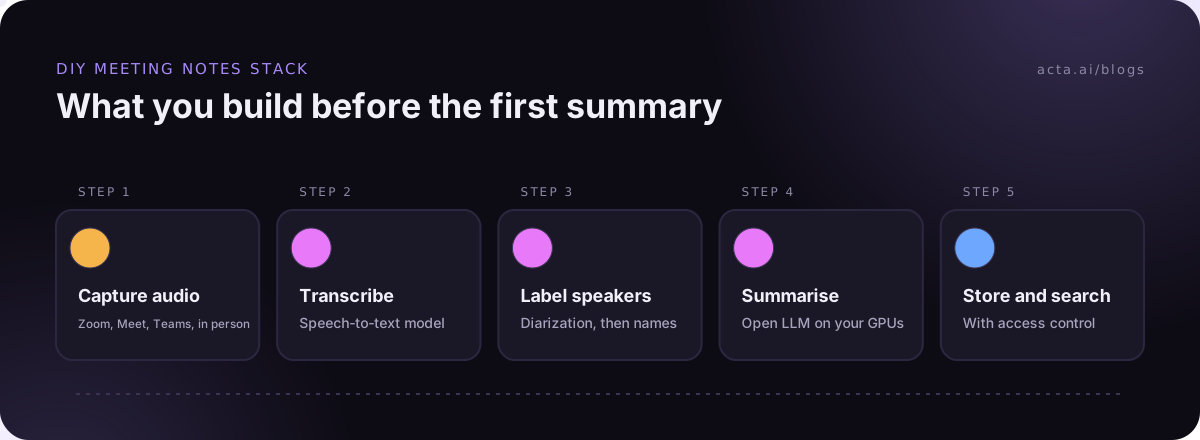
- Capture. Getting audio out of Zoom, Google Meet and Microsoft Teams, plus in-person meetings. Each platform has its own route, and you'll need a consent process. Read up on whether it's legal to record meetings with AI and what to tell participants before you build anything.
- Transcription. A speech-to-text model that handles accents, crosstalk and your product names.
- Speaker labels. Diarization works out who spoke when. Open pipelines exist, such as pyannote's speaker diarization model, which is gated: you accept its conditions on Hugging Face before using it. Then you still have to map "speaker 2" to an actual name.
- Summaries. The LLM part, with prompts tuned so it doesn't invent decisions nobody made.
- Action items with owners. Harder than a summary, because the model has to attach a task to the right person.
- Search across meetings. Usually retrieval over chunked transcripts. Our guide to RAG over meeting transcripts covers the build.
- Access control and integrations. Who sees what, and getting tasks into Jira or notes into your CRM.
Each step is doable. Together, they're a product, and products need maintenance. I've seen teams get steps 2 and 4 working in a week, demo it, and then spend the next quarter on steps 1, 3 and 7.
When does running your own open model win?
DIY is the right call more often than vendors admit. It makes sense when:
- Data can't leave your environment, by contract or regulation, and no vendor's terms satisfy your legal team.
- Volume is high and steady, so owning hardware beats paying per request.
- You need a custom model, such as one fine-tuned on your domain language. Our post on RAG vs fine-tuning vs prompting helps decide if you really do.
- AI is your product. If you're selling the capability, owning the stack is part of the business.
- You already have the people. A platform team that runs GPUs for other reasons changes the math a lot.
If none of these apply, self-hosting is usually a cost you're choosing for the satisfaction of owning it. That's fine for a learning project. It's a harder sell as the plan for something the sales team relies on every day.
When is an API or a finished tool better?
An API is the best default when you're building something specific to your company and want to test it quickly. You can swap models with a config change, and if the project dies you haven't bought hardware. Many serving tools, vLLM included, speak the same API format, so moving from an API to self-hosting later is less painful than it used to be.
A finished tool is better when your need is a common workflow that someone has already built well. Meeting notes are the clearest example. Acta handles the whole list above: a meeting bot for Zoom, Google Meet and Microsoft Teams, a bot-free desktop app for Windows and Mac or a Chrome extension, mobile apps for in-person meetings, and uploads of existing audio. You get transcripts with speaker names, summaries, decisions, action items with owners and follow-up email drafts. OneChat answers questions across meetings with sources, Agent Builder automates what happens next, and integrations push results to Salesforce, HubSpot, Zoho, Jira, Confluence, Notion and Google Drive. Acta does not use customer data to train AI models.
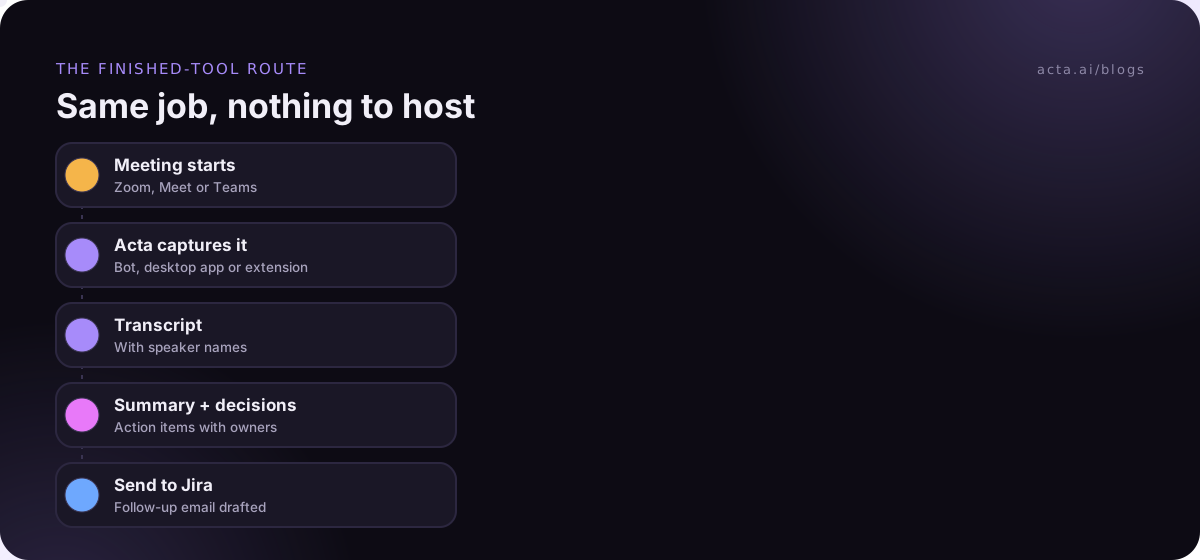
To be clear about what that is: Acta is a finished meeting tool, not a way to run open models yourself. If your requirement is that you pick and host the model, the DIY path is the one for you.
A simple way to decide
- Write down the job in one sentence, such as "notes and action items from every customer call".
- Check if a finished tool already does it. If yes, trial it for two weeks with real meetings.
- If no tool fits, prototype with an API. Measure quality on your own examples.
- Only then price self-hosting: hardware, an owner's time, a second server, and monitoring.
- Pick the cheapest option that meets your data and quality rules, and revisit it in six months.
Framed this way, open source LLM vs API stops being a debate about models and becomes a question about which work you want to own. The order matters. Starting at step 4 is how teams end up maintaining infrastructure for a problem a subscription would have solved.
Frequently asked questions
Is an open source LLM cheaper than an API?
At high, steady volume it can be. At low or spiky volume, an API is usually cheaper because you don't pay for idle GPUs or the engineer who runs them. Price both with your real usage before deciding.
Can I switch from an API to a self-hosted model later?
Usually, yes. Serving tools such as vLLM expose an OpenAI-compatible API, so client code often needs little change. Your prompts may need retuning for a different model, so budget time to retest.
Is self-hosting required for GDPR or confidential data?
Not necessarily. What matters is where data is processed and stored, who can access it, and what your contracts say. Some teams meet those needs with a vendor; others need self-hosting. Ask your legal team with specifics.
What's the hardest part of a DIY meeting assistant?
Not the summary. Capturing audio reliably across platforms, labelling speakers with real names, and controlling who can see which meeting take far longer than getting a model to write a decent summary.
Do I need to pick or host a model to use Acta?
No. Acta is a finished product, so you don't choose, download or run models. Acta joins your calls, or you upload audio, and you get transcripts, summaries and action items. Acta does not use customer data to train AI models.
If meeting notes are your use case, try the finished-tool route first: start a 15-day free trial of Acta and compare it with what a DIY build would cost you.