Choose what starts an agent
TriggersScheduleMeetingsApp eventsUpdated Oct 31, 2026
Click the first step (the one with the lightning icon) and choose under Starts. The line under your choice explains it in one sentence.
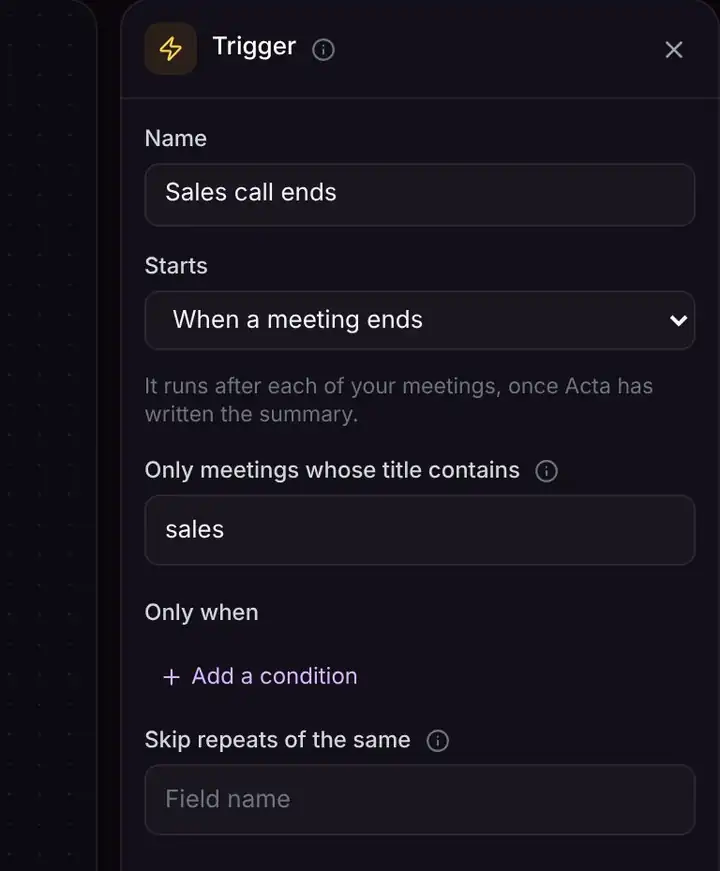
Ways to start an agent
| Starts | Use it when |
|---|---|
| When you run it | You want to start it yourself, or are trying things out. |
| On a schedule | Every hour, day, weekday or chosen days, at a time you pick. |
| When a meeting ends | After your meetings, once Acta has the summary. |
| Event in a connected app | Something new happens in an app (see below). |
| Chat message | You ask it questions in its Chat panel. |
| When a form is submitted | Someone fills in a form you share. |
| When a webhook receives an event | Another system sends it data. Ask your IT team. |
| When another agent runs it | Another of your agents hands it work. |
Events in a connected app
| App | Starts the agent when |
|---|---|
| Acta | A meeting gives you a new action item, an action item is overdue, a decision is made or changed, or another agent finishes or fails. |
| Calendar | A meeting is about to start (you choose how many minutes before). |
| Gmail | A new email arrives (optionally only ones matching a search). |
| Slack | A new message is posted in a channel. |
| Google Sheets | A new row is added. |
| HubSpot | A new contact is added. |
| Jira | A new issue is created, or an issue moves to a status. |
| Asana | A new task is created, or a task is completed. |
| Zendesk, Freshdesk | A new ticket arrives. |
| OneChat | A file you added is ready. |
| RSS feed | A blog, news site, podcast or YouTube channel posts something new. |
Acta checks for new events every few minutes. Only things that happen after you turn the agent on start it.
Only some events
Under Only when, add conditions like "subject contains invoice", so the agent only starts for the events you care about.
Troubleshooting
My agent didn't start
Check it's On in My Agents. App events are checked every few minutes, and only new things after you turn it on count. Check the trigger's Only when conditions: the trigger also shows when it last checked, or what went wrong.
How do I get told when an agent fails?
Make a small agent that starts with Event in a connected app, Acta, Agent failed, and sends you a Slack message with the error.
Related
Still stuck? The Acta team can help. support@acta.aiContact us